

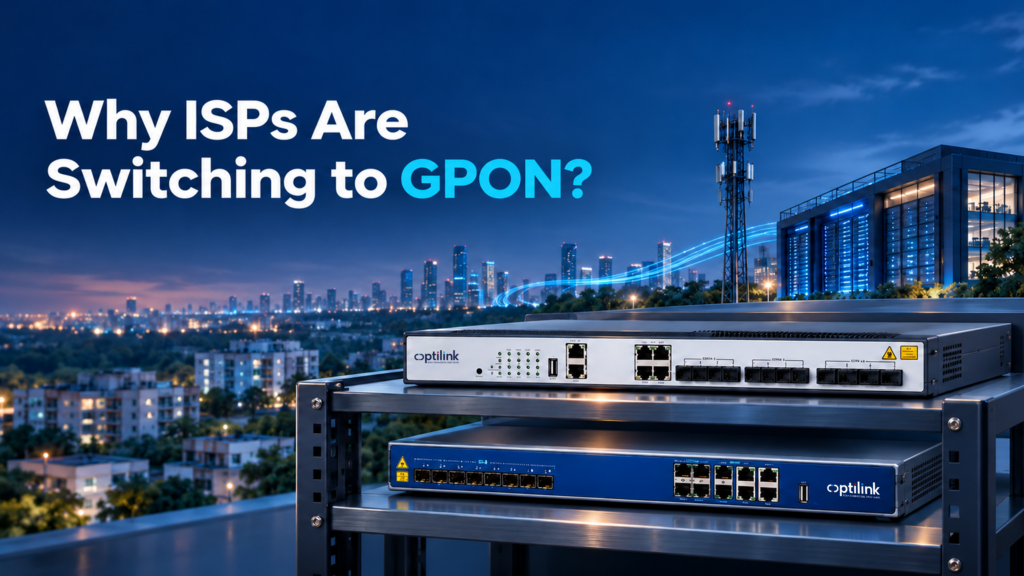
Fibre networks must meet the needs of both users and service providers. For Indian ISPs and local cable operators, choosing the right technology affects cost, speed and growth.
The GEPON vs GPON question often comes up when an ISP plans a new network or upgrades an existing one. Both technologies deliver broadband over fibre. Yet they differ in how much traffic they can carry and how they manage services.
GPON offers more downstream capacity than Gigabit EPON. This gives ISPs more room to handle download traffic. It can also help them offer faster plans across a shared network.
However, an upgrade should solve a clear problem. A GEPON network with enough spare capacity may still meet customer needs. This guide explains the differences and what ISPs should check before making a move.
What Is GEPON?
GEPON stands for Gigabit Ethernet Passive Optical Network. The term usually refers to Gigabit EPON, which follows the IEEE 802.3ah standard.
It uses fibre cables and passive splitters to connect an ISP to its customers. The splitters need no power supply.
A basic network has three parts:
- OLT: The Optical Line Terminal sits at the ISP’s network site.
- Fibre and splitters: These carry and divide the optical signal.
- ONU: The Optical Network Unit connects the customer to the fibre network.
Gigabit EPON has a nominal Ethernet rate of about 1 Gbps in each direction. Its physical signalling rate is 1.25 Gbps, which includes line coding.
This capacity is shared by users on the same PON port. It is not a dedicated 1 Gbps connection for each customer.
Higher-speed EPON versions also exist. Here, the comparison focuses on Gigabit EPON.
What Is GPON?
GPON stands for Gigabit-capable Passive Optical Network. It follows the ITU-T G.984 family of standards.
Like GEPON, it uses an OLT, fibre cables, passive splitters and customer terminals. The customer device is often called an ONT, or Optical Network Terminal.
A common GPON setup has these nominal line rates:
- Downstream: About 2.488 Gbps, from the ISP towards customers.
- Upstream: About 1.244 Gbps, from customers towards the ISP.
These rates describe the shared PON link. They do not mean every customer receives those speeds.
Actual speeds depend on the broadband plan, network load and equipment. The ISP’s uplinks and internet capacity also matter.
GEPON vs GPON: Key Differences
The main difference between GEPON and GPON is how they carry and manage traffic. Their shared capacity also differs.
| Feature | GEPON / Gigabit EPON | GPON |
| Standard | IEEE 802.3ah | ITU-T G.984 family |
| Downstream rate | About 1 Gbps Ethernet rate | Commonly 2.488 Gbps line rate |
| Upstream rate | About 1 Gbps Ethernet rate | Commonly 1.244 Gbps line rate |
| Traffic handling | Uses Ethernet frames | Uses GPON Encapsulation Method |
| Device management | Uses Ethernet OAM and vendor features | Uses OMCI and vendor features |
| Customer equipment | Needs compatible EPON devices | Needs compatible GPON devices |
| Selection factors | Capacity, features and cost | Capacity, features and cost |
EPON and GPON use different coding and framing methods. The rates above therefore do not show the exact amount of usable customer traffic.
Both systems use part of their capacity to run the connection. Real throughput is lower than the headline rate.
For a useful GPON vs EPON comparison, check how each system handles your expected traffic. A speed figure alone cannot show whether a platform suits your network.
Why Are ISPs Moving Towards GPON Networks?
An ISP may consider GPON when its existing network needs more capacity or different features. The main reasons involve traffic growth, service plans and network control.
1. More Room for Download Traffic
Customers share the capacity of a PON port. During busy hours, many may stream videos, download files or update devices at once.
GPON provides more downstream capacity than Gigabit EPON. This creates extra room for those downloads.
The benefit is most useful when the PON port is the source of congestion. If the problem lies elsewhere, changing the OLT may have little effect.
ISPs should first check PON usage, uplink traffic and backhaul capacity. These figures help show where an upgrade is needed.
2. Support for Faster Broadband Plans
Faster plans place greater demands on the access network.
An ISP does not need to reserve the full plan speed for every user at all times. However, it must plan for busy periods when several customers use large amounts of data.
One of the GPON advantages for ISPs is extra downstream headroom. This can help operators serve a mix of broadband plans.
For example, an ISP offering 100 Mbps and 300 Mbps plans must assess shared demand. It should consider how many users are active and how much traffic they generate.
Customer equipment matters too. A fast fibre link cannot fix poor Wi-Fi coverage or an unsuitable router.
3. Better Control When the Right Features Are Available
ISPs need ways to apply service plans and manage traffic.
GPON supports tools for sharing upstream bandwidth and handling different services. Depending on the equipment, these may include internet, voice and IPTV.
GEPON equipment can also offer bandwidth control and traffic priority settings. GPON should therefore be judged by the features of the chosen platform.
Before buying, check whether the OLT supports your service profiles. Test those features with the ONTs you plan to use.
4. Remote Management of Customer Devices
As a network grows, manual setup and fault checks take more time.
GPON uses OMCI, the ONT Management and Control Interface. This allows the OLT to manage supported functions on customer terminals.
Depending on the devices and software, remote tools can help staff apply settings and check faults. They can reduce the need for some site visits.
However, a shared standard does not ensure full compatibility between all brands. ISPs should test the exact OLT, ONT and firmware combination.
5. A Chance to Plan Network Growth
An upgrade offers a chance to review the whole network.
The ISP may need more PON ports, faster uplinks or better monitoring. It may also need to change how customers are spread across ports.
GPON can form part of that plan. Its value depends on whether it meets current demand and leaves enough room for growth.
For larger upgrades, operators should also compare higher-speed PON options. GPON may suit one project, while another needs more capacity.
Should Every ISP Upgrade to GPON?
No. An upgrade should bring a clear benefit.
A GEPON network may remain suitable when customers receive the expected service. It may also have enough capacity for future connections.
An ISP should review GPON when:
- PON ports face regular downstream congestion.
- New service plans need more shared capacity.
- Existing equipment lacks required features.
- A new project makes GPON a suitable choice.
- Expansion costs support a move to a different platform.
Compare the full cost before deciding. Include the OLT, customer devices, setup work, training, spares and support.
The lowest purchase price may not lead to the lowest long-term cost.
What Should ISPs Check Before Migrating?
Check OLT and ONT Compatibility
An EPON-only ONU should not be assumed to work with a GPON OLT.
Some dual-mode XPON terminals support both technologies. Even then, the ISP must confirm support for the chosen OLT and services.
Test device registration, internet access, VLAN settings and voice features where needed. Check remote management and firmware support as well.
Test the Existing Fibre Network
Existing fibre and splitters may be reusable. Their condition and specifications must suit the new equipment.
Measure the optical loss across each route. Include losses from fibre, splitters, connectors and splices.
The total must fall within the equipment’s supported optical budget. Leave a suitable margin for repairs and changes over time.
Review the Split Ratio
A higher split ratio connects more customers to one PON port. It also adds optical loss and places more users on shared capacity.
Do not choose a ratio based only on the maximum device count.
Check customer demand, fibre distance and optical loss together. A link can pass an optical test but still lack enough bandwidth.
Check Uplinks and Backhaul
The OLT’s uplinks carry traffic from multiple PON ports.
If those links are too small, they can limit the benefit of the upgrade. The same applies to aggregation links and internet backhaul.
Review the whole traffic path before adding access capacity.
Plan a Phased Rollout
Start with a small group of customers or a test area.
Confirm that services work as expected. Check speeds, monitoring, fault alerts and recovery steps.
Use the results to fix issues before moving more users. A phased approach helps limit service disruption.
How Optilink Can Support Your FTTH Plans
Optilink offers GPON and EPON OLTs, ONTs, switches, SFP modules and passive fibre products. These products support different parts of an FTTH network.
Before choosing equipment, prepare a clear set of needs. Include:
- Current and planned customer numbers.
- Broadband plans and busy-hour traffic.
- Fibre routes and optical loss readings.
- Required uplink speeds.
- Customer device and management needs.
These details help narrow the choice to suitable products. They also give the technical team a clearer basis for checking compatibility.
Frequently Asked Questions
Are GEPON and EPON the same?
GEPON usually means Gigabit EPON. EPON is a wider family that includes higher-speed versions. Always check the standard and rate listed in the product specifications.
Will GPON make every connection faster?
Not by itself. Speed depends on the customer’s plan, network load and equipment. GPON adds shared capacity, but other parts of the network must support it.
Can an ISP reuse its existing fibre?
Often, yes, if the fibre and passive parts meet the new system’s needs. Test the optical path before deciding what to reuse.
Can an XPON ONT work with both systems?
Some XPON ONTs support both EPON and GPON. Confirm the model, firmware and OLT compatibility before use.
Conclusion
The GEPON vs GPON decision should start with your network’s needs. GPON can provide more downstream capacity for growing broadband demand. Its management features may also help when the chosen equipment supports them.
A successful upgrade depends on more than the PON standard. Check customer devices, fibre loss, split ratios, uplinks and total cost.
Planning an FTTH network or an upgrade? Explore Optilink’s GPON solutions and contact the team to discuss your requirements.